A workout buddy who's always paying attention.
SetBuddies keeps your crew connected — lifting, running or boxing — with check-ins, a live activity feed, and real accountability, even when you're not training in the same room. And if you coach others, it runs your clients and classes too.
Accountability, without the guilt trip
No gates, no setup friction — every account starts as a group of one, and inviting a buddy is just sharing a code.
Start or join a group
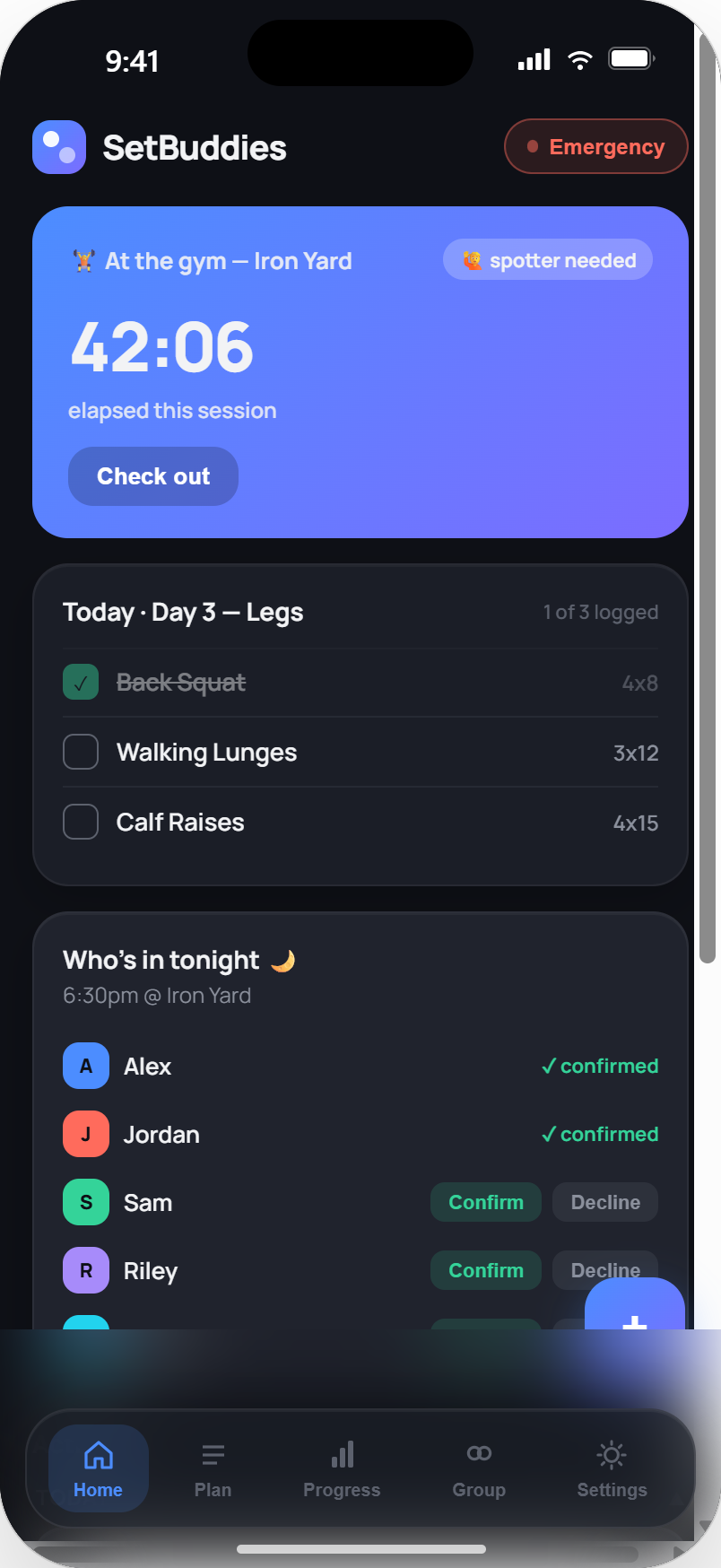
Every account is a group of one by default — invite a buddy anytime by sharing your group code, link, or email.
Check in when you train
"At the gym" or "at home," with an optional gym name and a one-tap flag if you need a spotter.
Watch it happen live
See who's training right now, react to a set, and thread comments on anyone's session or check-in.
Stay on each other's radar
Nudge someone who's gone quiet, confirm tonight's session, and get a weekly recap of how the group did.
Everything your group needs, nothing it doesn't
Shared Plan
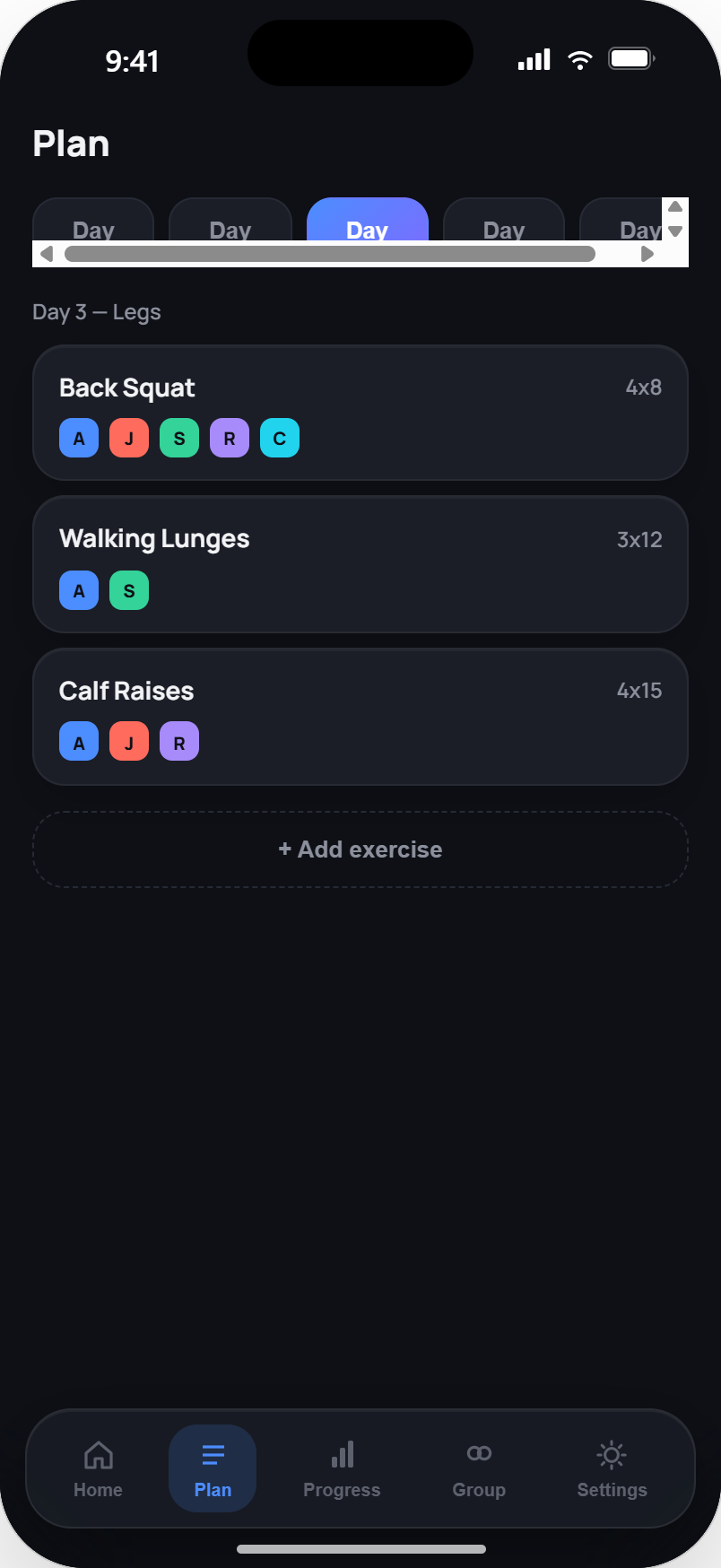
A day-numbered rotation the whole group edits together — pick from a searchable exercise library, group sets into supersets or circuits, and export it as a printable PDF.
Ready-Made Templates
Not sure where to start? Pick a novice, intermediate, or pro program — gym or fully equipment-free — and you're training on day one.
No Gym? No Excuse
Any day you can't make it to the gym, get an AI-matched home version of that exact day's workout — same muscles, same movement pattern, built around whatever equipment you have at home (or none at all) — and log it like any other session.
AI-backed Progress
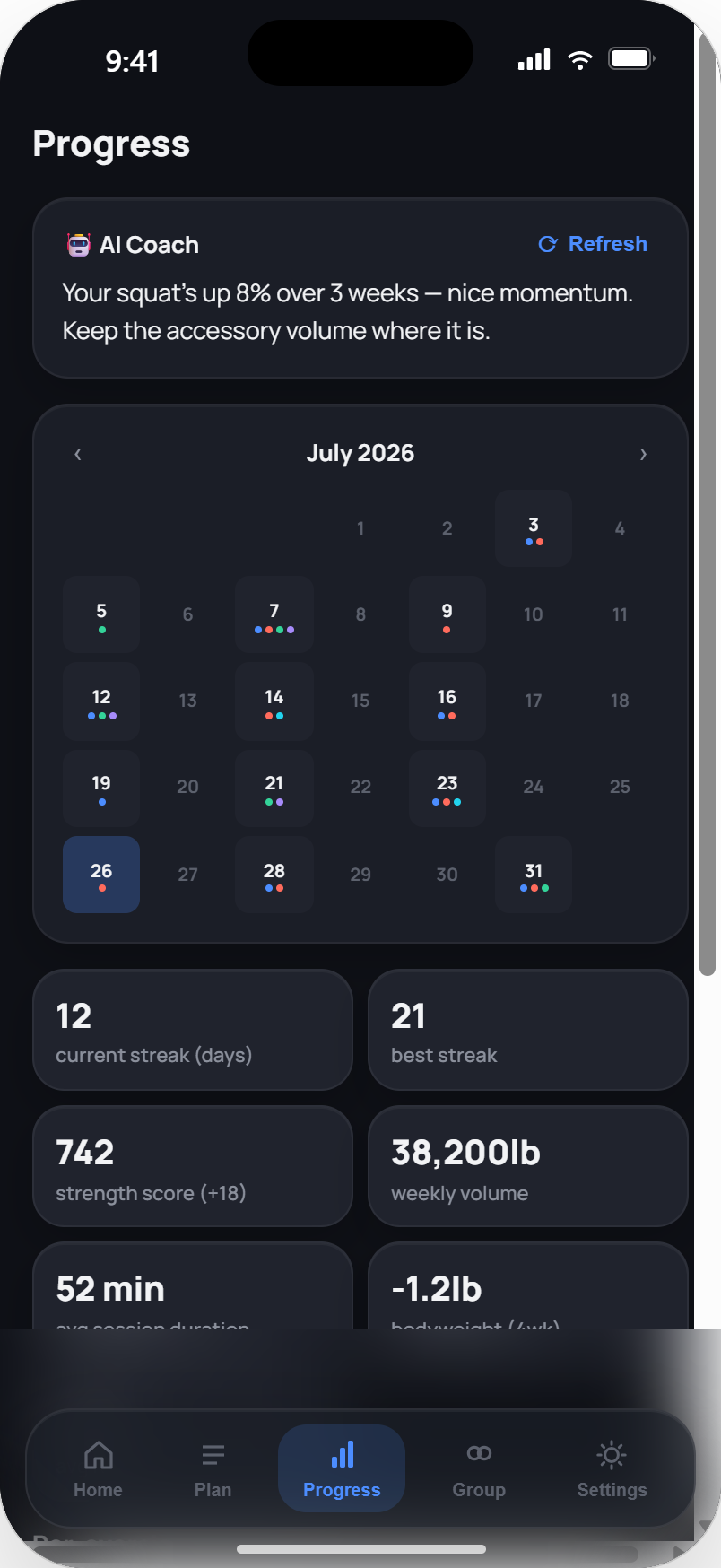
Plain-language coaching insights, a training calendar with teammate overlays, and per-exercise progression across the group — plus, on Pro, long-range strength trends, a 1RM projection and plateau & deload detection.
Not Just Lifting
Log runs and boxing rounds alongside your lifts — distance and time, or rounds and time. They count toward your streak and weekly target the same way, so a runner and a lifter can hold each other accountable in one crew. Tell us what you train and the app sets itself up around it.
Group Trophy Case
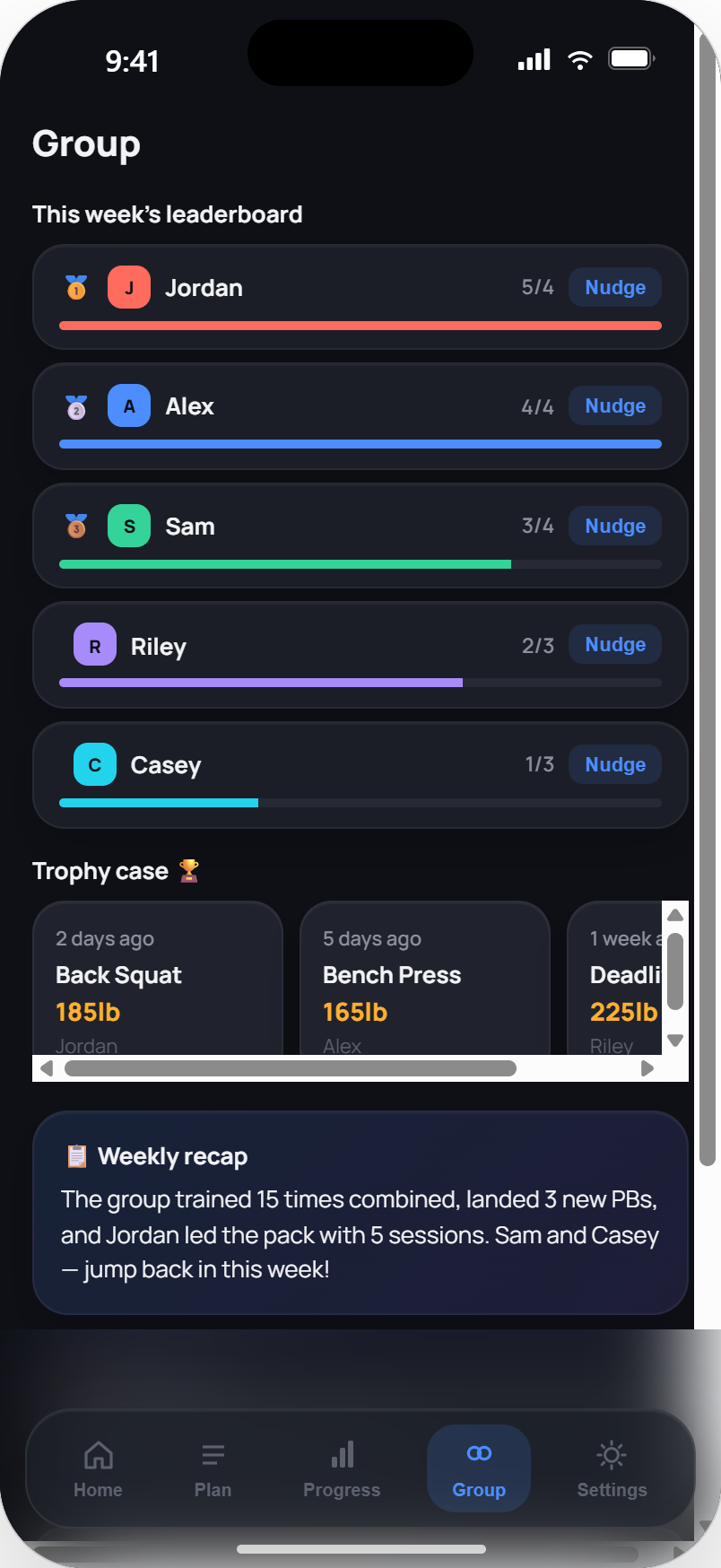
A weekly leaderboard, a trophy case of recent PBs, and an auto-generated Sunday recap that keeps everyone in the loop.
Share Your Wins
Hit a new PB or a training streak and get a branded, ready-to-post image in one tap — straight to Instagram, or wherever, no extra design work.
Streaks & Smart Reminders
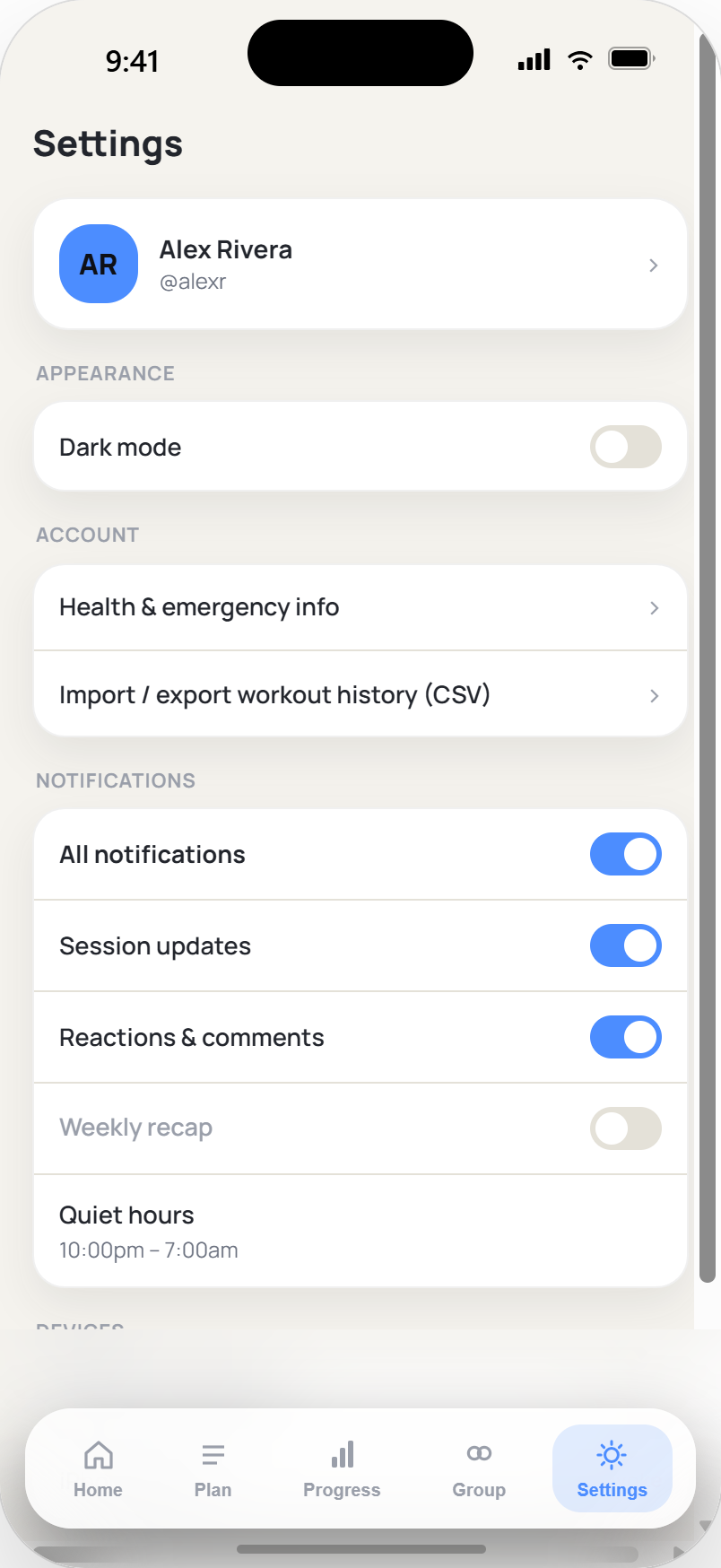
Build a real streak by hitting your weekly target, and get nudged — not spammed — with granular, per-type notifications you control.
Group Chat
A real conversation for your crew — right in the app, in real time. Tag a teammate with @, react to messages, and see who's read what. Separate from the feed, so plans and banter don't get lost between PBs.
Body Tracking
Log your weight and, if you track them, body fat and muscle, and watch the trend over time. No smart scale? Estimate body fat from a tape measure. Yours alone — never shown to the group.
Emergency Safety Net
One button alerts your whole group and puts a call to your local emergency number or your personal emergency contact one tap away.
Built for mid-workout, one-handed use
Coach your people. Run your gym.
The same accountability your crew feels, turned into a tool for the people who train others — a personal trainer, a class instructor, or a whole studio.
All your clients, one view
Oversee every client and team from one dashboard — who's training, who's drifted, who's on which day — across as many groups as you run, with the 5-person cap lifted for teams you coach.
Plan, message, note
Write and adjust each client's plan, keep private per-client notes, and message any client 1:1 — plus their Pro-level progress, since your seat carries it.
Classes, booked and marked
Set recurring classes with a capacity, let members reserve their spot, and take the register — present, absent, or a walk-in — right from your phone.
Your gym, your brand
Group several coaches under one organisation, see the whole gym roll up, post gym-wide announcements, and give members your name and accent colour. A manager can run it without coaching a single session.
Coaching works today; founding coaches use it free while we finish billing. See the Coach plan.